
特別ページ
京都おぶぶ茶苑のお茶一覧表
かぶせ:かぶせ栽培された煎茶は香りが旨味が強く玉露に近いお茶です。
露地:さわやかな香りで渋みと旨味のバランスの取れたお茶です。
| 商品名 | 収穫時期 |
栽培方法 | 品種 | 価格 | 蒸し方 | 特徴 |
|---|---|---|---|---|---|---|
天のしずく玉露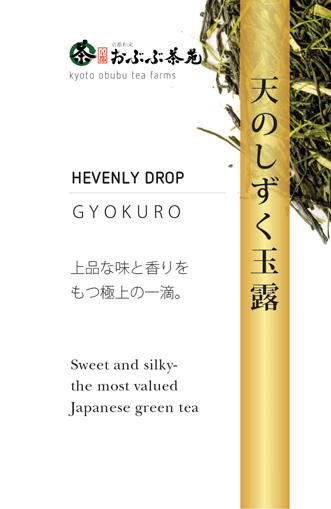 |
5月 (春) |
棚 | やぶきた | 1,860円 |
浅蒸し |
甘み★★★★★ 天からの贈りもののような貴重なお茶、代表:喜多のお茶作りにかける想いがまたひとつ実現した究極の荒茶玉露 商品ページへ
|
かぶせ煎茶
|
5月 (春) |
かぶせ | やぶきた | 1,785円 (税込) 80g |
浅蒸し |
甘み★★★★★ おぶぶお茶の中で最も玉露に近い旨味を持つお茶です。 |
太陽の煎茶(春)
|
5月 (春) |
露地 | やぶきた | 1,575円 (税込) 80g |
浅蒸し | 甘み★★★★☆
甘みと渋味のバランスが絶妙。 |
風の煎茶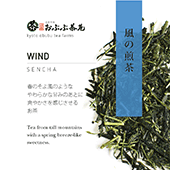
|
5月 (春) |
かぶせ | 在来 | 1,050円 (税込) 80g |
浅蒸し |
甘み★★★★★
かぶせ煎茶についで玉露に近い旨味をもったお茶です。 |
大地の煎茶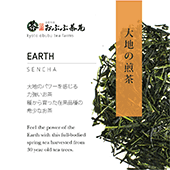
|
5月 (春) |
露地 | 在来 | 1,050円 |
浅蒸し |
甘み★★★☆☆ 甘みと渋味が共にしっかりと味わえるお茶です。 |
きらめきの煎茶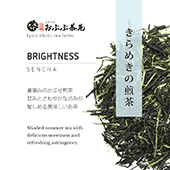
|
7月 (夏) |
かぶせ | やぶきた | 840円 (税込) 80g |
浅蒸し |
甘み★★★☆☆ 渋み★★★☆☆ さっぱりとした甘みと渋味のバランスが取れたお茶です。 |
太陽の煎茶(夏)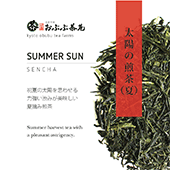
|
7月 (夏) |
露地 | やぶきた | 735円 (税込) 80g |
浅蒸し |
甘み★★☆☆☆
渋味強めで、ほのかに甘いお茶です。 |
お月見煎茶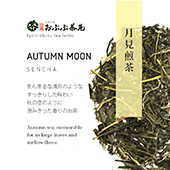
|
10月 |
露地 | やぶきた | 525円 (税込) 80g |
浅蒸し |
甘み★★☆☆☆ 優しい渋味と、甘みをあわせ持つお茶です。 |

- 2021.05.04
- 15:47
春の新茶予約開始
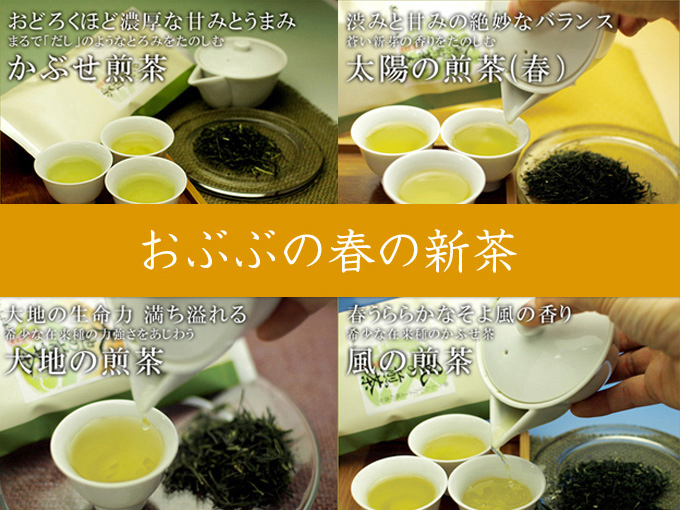
最高級のクオリティを誇る新茶販売予約開始!
お待たせしました!
八百年の茶産地、京都・和束(わづか)町より、日本最高級の新茶の予約を開始しました。
今年も春の陽気とともにすくすくと新芽が成長しております。
一年館丹精込めて作り上げた新茶、ぜひお楽しみくださいませ。
春の新茶のご予約~発送までの流れ
1.各新茶の「カートに入れる」ボタンで商品をカートに入れて、ご購入手続きを完了してください。
↓
2.ご購入完了時に自動返信で購入手続き完了メールが届きます。
↓
3.商品がそろい次第発送し、発送完了メールをお送りします。 ※数種類同時にご購入いただいた場合は全ての商品がそろい次第、発送させて頂きます。
各、春の新茶の発送予定日は、天候等により変動する場合がございます、あらかじめご了承ください。
新茶の収穫は最適な時期に応じて収穫します。
収穫でき次第 順次お送りいたします。
お茶の種類によってはお届けが前後します。
ご了承ください。
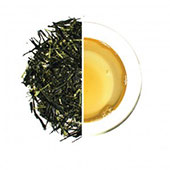
驚くほど濃厚な甘みとうまみ かぶせ煎茶
玉露と同様に太陽の光をさえぎる黒いネットをかぶせて作りました。
黒いネットをかぶせる事により、新芽にはテアニンというアミノ酸成分が多く含まれ、甘みとコクの濃いお茶に仕上がります。
玉露とかぶせ煎茶の違いは、かぶせる日数。今年のかぶせ煎茶も、14日間かぶせて作ります。玉露の様な甘みと煎茶のすがすがしい香りをあわせもった、ことしのかぶせ煎茶です。
かぶせ煎茶の新茶のご購入はこちらから (※リンク先のページからはご予約できません)

80gパック(16回 144杯)
【まとめ割】3袋以上で5%、10袋以上で10%OFF!購入する数量を変更するとカート画面にて割引金額をご確認頂けます!
あとから変更・削除できます。
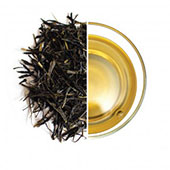
絶妙な甘みと渋みのバランス 太陽の煎茶(春)
山間の茶産地、京都和束町(わづかちょう)の太陽と風をその身に存分に受けて育った露地(ろじ)煎茶。
内陸の山間部特有の厳しいに中の気温差と、例年の冬の寒さのなかで育ちました。その深みある渋みと和束の太陽とかぜがそだてたすがすがしい香りをお楽しみください。
80gパック(16回 144杯)
【まとめ割】3袋以上で5%、10袋以上で10%OFF!購入する数量を変更するとカート画面にて割引金額をご確認頂けます!
あとから変更・削除できます。
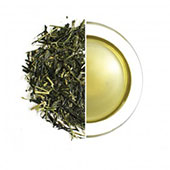
春うららかなそよ風の香り 風の煎茶
野山を吹き抜けるそよ風のようなさわやかな香りが楽しめるお茶。
山の斜面に広がる茶畑を吹き抜ける春のさわやかnそよ風の香り。
目を閉じると、浅緑萌ゆる春の茶畑を彷彿とさせる。
かぶせ煎茶と同様に黒いネットをかぶせてから収穫した煎茶です。
80gパック(16回 144杯)
【まとめ割】3袋以上で5%、10袋以上で10%OFF!購入する数量を変更するとカート画面にて割引金額をご確認頂けます!
あとから変更・削除できます。
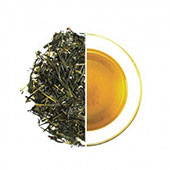
大地の生命力溢れる 大地の煎茶
タネから育てた、品種改良をまったくおこなっていない在来種の煎茶。一般の市場では、もはやほとんど目にすることができなくなりました。
樹齢七十年を超える茶樹もあり、まさに和束町にねづいた昔ながらの煎茶です。収穫量の少ない希少なお茶。ぜひこの機会にご賞味ください。香りや味のさらに奥にある、茶葉そのものが持つ力強さ、エネルギーを感じていただける煎茶です。
80gパック(16回 144杯)
【まとめ割】3袋以上で5%、10袋以上で10%OFF!購入する数量を変更するとカート画面にて割引金額をご確認頂けます!
あとから変更・削除できます。
- 2018.05.30
- 10:52
竹尾 栄(たけお さかえ)さん 丸栄竹尾商店
■日本一の急須屋さん丸栄竹尾商店の創業者
|
■竹尾 栄さんは、大正14年生まれ。戦争と平和を知っています。 |
|
笑顔が素敵な竹尾 栄さんは、日本一の急須屋さん丸栄竹尾商店の創業者です。 栄さんは、大正14年、陶磁器に絵付けをする絵師の家に生まれます。家業は順調で、お弟子さんを幾人かか、かえるまでになっており、当時ではめずらしく、実家は2階建ての一軒家でした。 学校を卒業したばかりの栄さんは、家業にはかかわらず、日本郵船でサラリーマンとして働いていました。 |
しかし、当時の日本は戦争状態。 終戦が近づくにつれ、身近な人がつぎつぎと召集令状を受け、戦地へと送られてゆきます。 まだ、20歳前後だった栄さんにもいつ召集令状が来るかわかりません。 そして、昭和19年2月、 任地は、満州(現在の中国北東部のあたり)。 |
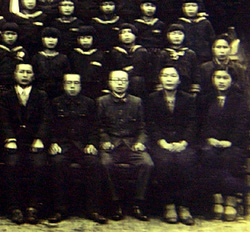 20歳前後の栄さん (写真最前列中央が栄さん) |
| ■終戦、しかし極寒の地シベリアへ・・・。 |
|
昭和20年8月15日、昭和天皇の玉音放送により、日本は敗戦国となり、太平洋戦争は終結します。 栄さんは、終戦を満州で知りました。 終戦直前、ロシア(当時ソビエト連邦)は、日本との平和協定を破棄し、開戦しました。 栄さんのいた満州は、ソビエトの占領下となります。 栄さんも捕虜となり、座席もトイレもない貨車に乗せられ、49日間かけてシベリアの強制収容所へと送られました。シベリアに着いたときは、すでに11月になっていました。 |
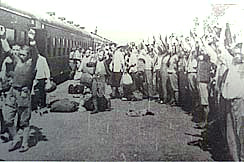
シベリアで待っていたのは、強制労働の生活。 零下50℃にもなる極寒のなか、収容所には、満足な暖房もありません。暖房どころか、ベッドもなく、3段ベッドに1段4人ずつ12人もが互いにおり重なるようになって寝ました。 食べ物も十分でなく、ハンゴウ1つのアワやムギを6人で食べ、いつでもハラが減っていました。 強制労働の内容は、真夜中の除雪作業や、戦車工場での使役など。 屋外で小便をすると、小便はその場で凍りつき、終わったあとを見ると10センチの高さの氷の塔が地面に立つのだそうです。 |
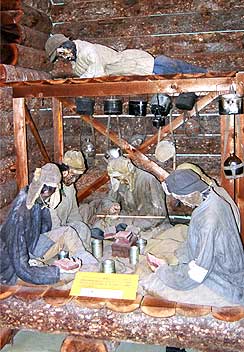 強制収容所での生活 平和祈念展示資料館 資料より |
|
そんな極悪な環境のなか、捕虜はどんどん命を落としてゆきます。 若かった栄さんもついに体調をくずし、病院にかつぎこまれます。しかし、そこに栄さんの幸運がありました。衛生兵としての経験と、すこしできるようになっていたロシア語が功を奏し、軍の病院勤務となったのです。 病院での仕事は、除雪作業や工場での使役に比べると、まだましな仕事でした。 栄さんいわく、「病院勤務だったからこそ、自分は生きて帰ってこれた」のだそうです。 病院では、多くの日本人の最期をみとったのだそうです。 なかでも、京都出身のモリモトカズオという方のことは、忘れられないそうです。亡くなる数日間をともに過ごしただけでしたが、立派な方だったそうです。 モリモトさんは、日本に帰ることができるほんの数日前に命尽きました。モリモトさんには、日本に残してきた妻子があるとのことでした。 モリモトカズオさんをはじめ、シベリアでは、毎日15,6人が亡くなってゆきました。亡くなった日本人は、病院のうらに運ばれます。 しかし、シベリアの凍てついた大地は、シャベルなどでは掘ることもできず、亡くなった方は、病院のうらに野ざらしのまま、放置するよりほかなかったのだそうです。 思い出したくもない記憶、それがシベリアの記憶・・・ ※竹尾栄さんとは別の方ですが、シベリアでの体験記を書かれています。お伺いした話とよく似ている部分もたくさんありました。 |
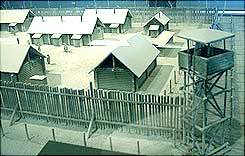
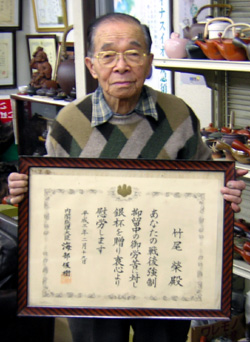
そして昭和22年5月、ついに栄さんは日本に復員することとなります。 昭和19年2月に出征して以来、3年ぶりの日本。京都の舞鶴港に万感の思いで、おり立ったのでした。 復員兵を迎える雑踏のなか、栄さんの耳には、ある女性の声が響きます。 「モリモトカズオの妻です!モリモトカズオを知りませんか!?」 懸命に叫ぶ女性。おさな子をおぶったその姿は、あまりに必死で、あまりに悲痛でした。栄さんは、とうとう声をかけることができませんでした。 「自分は、モリモトカズオさんを存じております!立派な最期を遂げられました。」と・・・。 60年たった今も、そのことを告げることができなかったことが悔やまれてならないそうです。 |
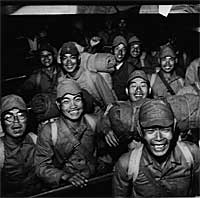 復員してきた兵隊さん 写真は、品川駅の様子 |
| ■戻ってきた故郷は、焼け野原 |
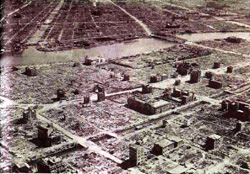 空襲で一面、焼け野原(写真は東京) 当時の日本は、どこも焼け野原だった。 |
そして、戻ってきた故郷、四日市。 そこにもまた厳しい現実が待っていました。 四日市には、海軍の施設があり、アメリカ軍の執拗な空襲により、街は焦土と化していました。 栄さんが帰郷した昭和22年、終戦から2年も経過していたにもかかわらず、そこはガレキの山と焼け野原。 実家であった2階建ての家は、跡形ありませんでした。そこにあったのは、トタン板にわらぶき屋根の家。 とにかく、働いて食えるようにならなければならない・・・・。 ガレキと焼け野原からのスタートでした。 |
| ■全国2000件の取引先を開発・数々の特許 |
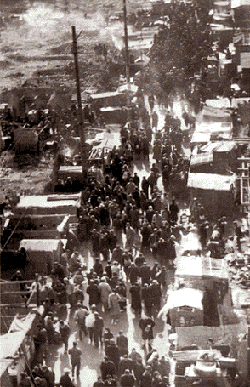 闇市の様子(写真は新橋駅前) |
四日市は、焼き物の産地だったので、その花びんや火ばちを売り歩いて、なんとか生活のかてを手に入ることができるようになりました。 地元で同じような商売を始めていた人と競合しないよう、なるだけ遠くのお客さまのもとに行くようになりました。 北海道から、九州まで、月の半分以上、出張に出ていたそうです。 日本の景気がうわむき、人々の生活にも余裕が出てきました。そして、栄さんは、当時需要が伸びはじめていた急須に目をつけます。これなら、遠くにもってゆくにも、かさばりません。 |
ドブ板を踏みしめながら、全国を歩き、獲得した取引先は、なんと2000件! 急須屋としての地歩を固めます。 そして昭和45年、ステンレス製の茶こしフィルターを内蔵した「五徳急須」で特許を取得。それを皮切りに、つぎつぎと新しい急須を開発してゆきます。 「五徳急須」は、大当たりし、年間で10万個以上も販売したそうです。 |
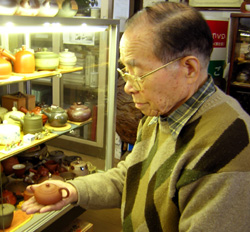 100年以上むかしに作られた めずらしい急須を手にする栄さん |
| ■国産の急須にこだわり続けるわけ |
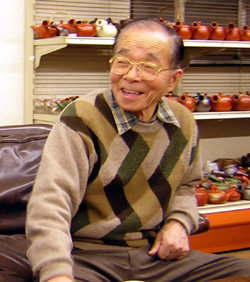 創業者の竹尾栄さん そのおだやかな笑顔の奥には、 想像を絶する苦労があったにちがいない。 |
そして現在・・・。 丸栄竹尾商店は、1500種類、常時3万個以上の急須を取りあつかい、急須に関する特許や実用新案を多数もつ、日本一の急須屋さんとなりました。 今も、栄さんは丸栄竹尾商店の会長として、ご健在です。 そのおだやかで柔和な笑顔の奥には、僕たちの想像を絶するようなシベリアでの極限生活や、わらぶき屋根からはじまった60年の苦労が、いっぱいいっぱいつまっているのでしょう・・・。 |
竹尾 享(たけお すすむ) 丸栄竹尾商店
■日本一の急須屋さん丸栄竹尾商店の次世代をになう
|
| ■竹尾 享さんは、僕たちと同世代 |
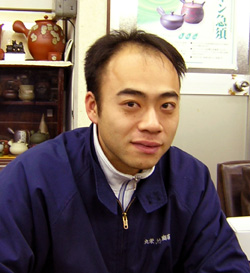 現場で陣頭指揮をとる享さん |
日本一の急須屋さん、丸栄竹尾商店の現場で陣頭指揮をとっている竹尾享さん。 僕らとおなじ年代の昭和48年生まれです。
|
「丸栄竹尾商店で扱っている急須は、お茶を淹れる道具。芸術品ではない。」と言いきる享さん。 「『家庭の日常のなかで、 これを追求するのが、自分たちの使命。誰が使うのかもわからないような芸術作品は、ほかの人にまかせる。 お茶の道具は、ともすると「誰が作った?」とか「いつ作られた?」といったことが重視されてしまう。そんななかで、家庭で毎日つかう道具としての急須を取りあつかうのが自分たち」という、享さん。 |
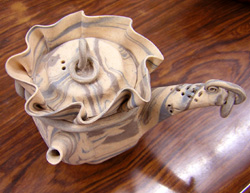 こんな急須もあるのです。 |
| ■マクドナルドで学んだお客さまを楽しませるよろこび |
|
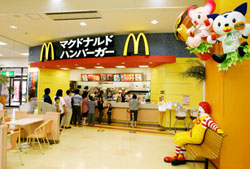
享さんは、大学卒業後、在学中からアルバイトしていたマクドナルドに就職。 当時のマクドナルドは、創業者でだった故 藤田 田(フジタ デン)社長が率い、破竹の勢いで全国に支店を増やしていました。 軽い気持ちではじめたマクドバイトでしたが、その軽いノリの裏側にある、世界最高水準の商品や店舗のマネジメント方法、接客や調理法に関するマニュアルの完成度の高さは、享さんを魅了しました。 緻密なマニュアルやマネジメントの中にありながら、能力のある社員やアルバイトには、多くの裁量が与えられ、享さんは、いかんなくその才能を発揮してゆきます。 出店したばかりの新店を軌道に乗せるために48時間ぶっ続けに働いたり、新商品であったマックプレミアムコーヒーの導入にたずさわったりしながら、最後は、店長代理となり、マクドナルドを離れます。 |
| ■そして、急須屋として |
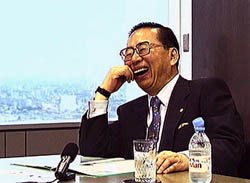
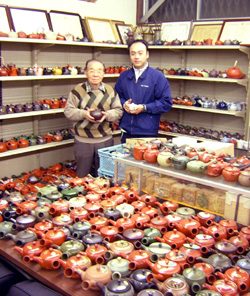 竹尾享さん(右)と創業者の栄さん(左) |
そして現在、長男として実家にもどり、家業である急須屋の現場にて陣頭指揮をしています。 マクドナルドで働いているときもいつかは実家に戻る日がくると思っていたそうです。 世界最先端の接客業の現場から、古い伝統やしきたりが残る焼き物の業界。そこには大きなギャップがあったにちがいありません。享さんは、次のように語ってくれました。 |
「今、日本の焼き物業界は、中国やベトナムなどの新興勢力に押されている。品質を抜きした価格だけを考えれば、それらのいきおいに太刀打ちできないのが現状だ。 しかし、自分たちは、産地にねざした陶器問屋でありたい。国産の焼き物、そして地元産地の焼き物にこれからもこだわってゆきたい。 自分たちは、産地とともに生き残り、成長する道を考える。自分たちには、技術も知恵も情熱もある。だから必ず勝算はある。 それらを命がけで活用して、だめなんだったら、そのときは、もう仕方がないと思う。 ただ、ここでやれることをやりきらないで、産地を捨てて、自分たちだけ生き残ったところで、いったいどんな意味があるのだろうか・・・。」 ここにも産地にこだわるアツい人がいました。 |
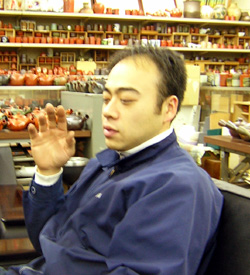 国産の急須の話になると、熱がこもる |
| ■好きなこと・興味のあること |
 コミック版のバットマン |
そんな享さんのオフは、料理を作ること、アメリカンコミックの収集、バイクの改造などなど、多彩♪ 高校時代、写真部兼地学部で部長までつとめたので、写真の腕前もプロ級。(会社のカタログには自身が撮影した写真もあるそうです。) 高校時代の地学部では、顧問の先生と、地球にふる「宇宙塵(うちゅうじん)」の研究をしていたそうです。 |
取材の最後に行ったのは、名古屋駅にほど近い享さん行きつけのアイリッシュパブ「peat」。 そこで飲んだ、ギネスビールのやわらかい味わいは、とてもおいしかったです。そこには、限られたギネスビールにしか許されない、フォーリーブズシャムロック(ビールの泡に描かれた四つ葉のクローバーのもよう)が浮かんでいました。 |
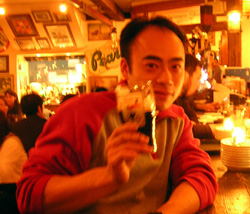 急須屋さんのオフ姿! アイリッシュパブ ピートにて |
丸栄竹尾商店
■四日市にある日本一の急須屋さん
|
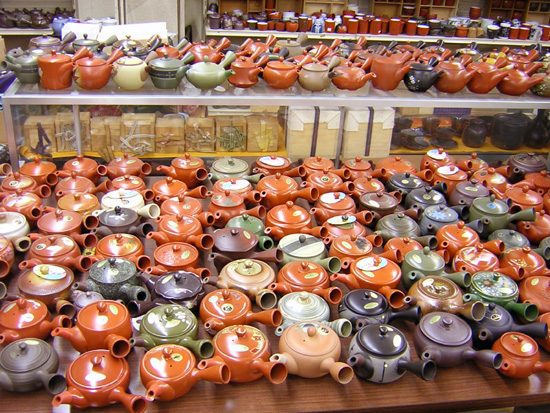 見よ、 この急須の数!でもこれは、ほんの一部♪ |
| ■おぶぶな宝瓶(ほうひん)を開発したのは、丸栄竹尾商店さんです。 |
丸栄竹尾商店の竹尾栄会長と享専務 |
【おぶぶ.com】の宝瓶(ほうひん)を開発されたのは、三重県四日市市にある急須屋さん、有限会社 丸栄竹尾商店さんです。 この丸栄竹尾商店さんは、まちがいなく、日本一の急須屋さんでしょう! |
| ■丸栄竹尾商店さんのここがすごい! その一 急須の種類と常時在庫数 |
丸栄竹尾商店さんのすごいところは、持っている急須の種類とその常時在庫数です! 急須の種類は、なんと1500種類。 そして、それらを常時3万点以上も在庫されております。 しかもこのご時世にあって、取りあつかう急須のの99%以上は、国産の急須。 |
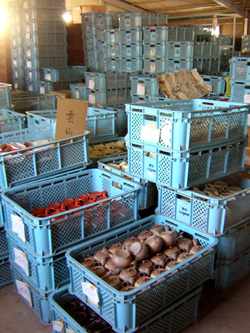 丸栄竹尾商店さんの倉庫 |
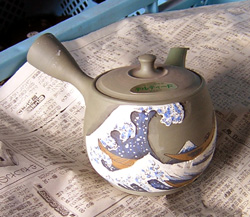 倉庫でこんな急須も発見! |
現在では、中国産やベトナム産の陶磁器の価格が安いため、多くの窯元や陶器問屋は、中国で作った陶磁器を日本に持ち込んでいるのが現状です。 そんな時代のなかで、国産の陶磁器にこだわってらっしゃるのは、とてもすごいことだと思います。 |
| ■丸栄竹尾商店さんのここがすごい! その二 特許の数 |
丸栄竹尾商店さんは、なんと急須に関する特許を15も持っておられます。 【おぶぶ.com】の宝瓶(ほうひん)の茶こしフィルター部分も、丸栄竹尾商店さんの特許です。 今では一般的ですが、金網製の茶こしがついた急須や急須のそそぎ口に保護用キャップをつけたのも丸栄竹尾商店さんだそうです。 |
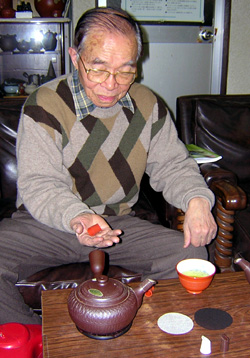 丸栄竹尾商店の特許製品を 手にする栄会長 |
| ■大正生まれの創業者、竹尾栄さんとマクドナルド仕込みの竹尾享さん |
焼け野原の日本(写真は東京) 当時の日本は、どこも焼け野原だった。 |
丸栄竹尾商店さんは、昭和23年、戦後まもない四日市にて創業しました。 当時の日本は、敗戦の傷跡が深く残っており、海軍の重要施設のあった四日市も激しい空襲により、焦土と化していました。 シベリアから復員したばかりの創業者の栄さんは、見渡すかぎりの焼け野原となった故郷:四日市で、はだか一貫から、営業を開始、トタン板とわらぶき屋根のお店からのスタートでした。 |
それから60年、全国に2000先以上の取引先を持ち、新しい急須の開発を積極的にすすめ、いまや、丸栄竹尾商店は、1500種、3万個以上の急須をとりあつかう、日本一の急須屋さんとなりました。 そして、これからの丸栄竹尾商店は、マクドナルドで世界最高水準の商品や店舗の運営方法を学んだ孫の享(すすむ)さんとともに、つぎなる進化と発展をとげることでしょう。 宝瓶(ほうひん):丸栄さんの茶器について |
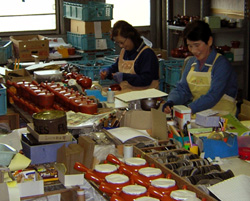 丸栄ギャルズのみなさん 全国に向けての商品発送作業に いそがしい従業員のみなさん |
- 2018.05.30
- 10:55
NHK 朝のニュースより
2006年3月17日 NHK朝7時のニュース特集「宇治茶を世界に伝えたい」
|
※画面中央の再生ボタンを押してください。再生開始します。 再生時間:4分39秒 |
ピュアな宇治茶の世界へようこそ!

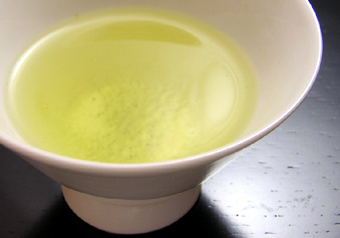
ようこそ、おいでやす!ピュアな宇治茶の世界へ!
まずはじめに皆さま。 ひとことで宇治茶といえども、 現在の宇治茶の定義は、 ですので、宇治茶といってもいろいろな種類があるのです。 |
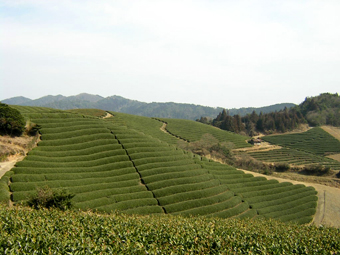
申し遅れましたが、僕たちは、京都・和束(わづか)町で、宇治茶を自ら生産し、インターネットで直売している茶農家のグループ【京都おぶぶ茶苑】です。 ここ京都・和束町では、800年以上のむかしから、和束茶を作りつづけており、京都で作られるお茶の約半数が、ここ和束町で作られています。 この京都和束町で収穫される「和束茶(わづかちゃ:京都和束産宇治茶)」は、お茶の魚沼産コシヒカリとも称され、宇治茶の中でも、特に香りのよいお茶として、名高い銘茶です。 |
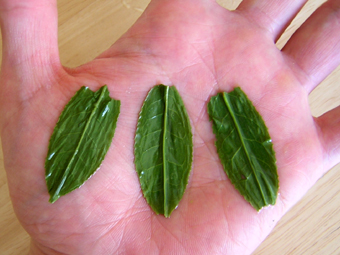
当店でとりあつかっている宇治茶は、すべて京都和束町で収穫した、100%ノンブレンドのピュアな宇治茶。 しかも、荒茶(あらちゃ)といって、二次加工をまったくしていない、茶畑でとれたままの茶葉ですので、リーフ1枚1枚が急須のなかにそのままあらわれる、お茶屋さんやデパートなどでも なかなか手に入らないとてもめずらしいお茶です。 茶畑でとれたままのピュアな宇治茶は、出がらしになった茶がらも、そのままおひたしなどにして、食べることもできます。 |
|
もともと、京都の茶農家しか飲むことができなかったピュアな宇治茶。 【京都おぶぶ茶苑】では、この宇治茶を特別にご用意し、生産農家より直送でお届けいたします。 ほんまもんの宇治茶が飲みたいという方は、どうぞごゆるりと、ピュアな宇治茶の世界をお楽しみくださいね。
|
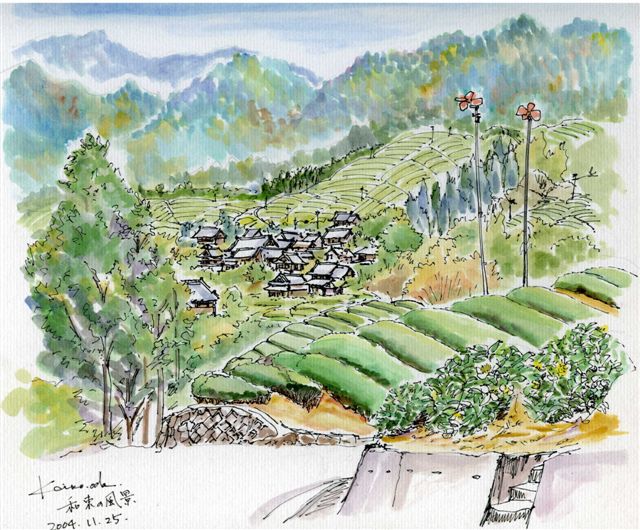
谷さんはここでした~♪
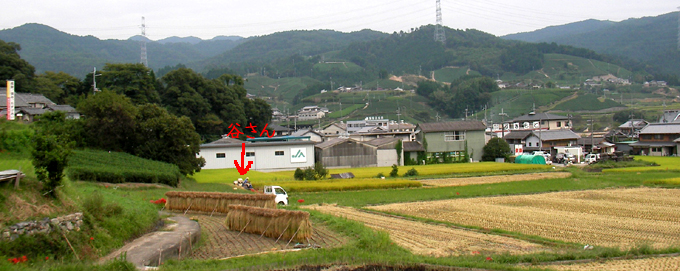
小田恵子先生秘蔵の2004年11月 わづかの風景
2006年お歳暮
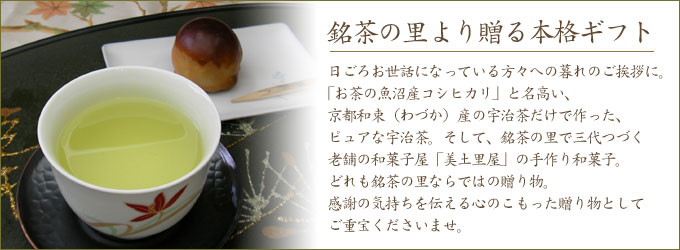

 ピュアな宇治茶・二種詰合せ 3,150円 春に収穫した、ふたつの煎茶の詰合せ。茶がらまで召し上がれる珍しい茶葉。お茶好きの方にオススメ。 |
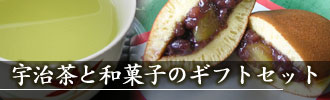
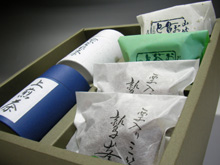 ピュアな宇治茶&手作り和菓子 3,150円 春摘みの甘く濃ゆいかぶせ煎茶とすっきりと渋いなじみ煎茶、手作りのどら焼きと和風カステラの詰合せ。 |
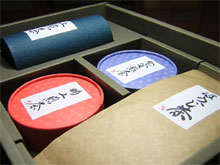 ピュアな宇治茶・四種詰合せ 5,250円 三種類の煎茶とこうばしいほうじ茶の詰合せ。すべて、ピュアな宇治茶。どこに出しても恥ずかしくありません。 |
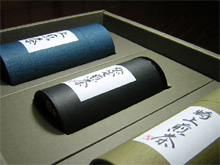 ピュアな宇治茶・煎茶三種詰合せ 5,250円 春に収穫した、三種類の煎茶。同じ煎茶なのに、それぞれ個性があり、お茶好きをうならせるセット。 |
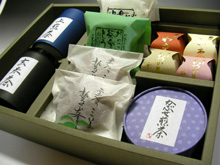 ピュアな宇治茶&手作り和菓子 5,250円 春に収穫した二つの煎茶と、ちょっとぜいたくな玄米茶。そして、四種類の和菓子も入った盛りだくさんなセット。 |
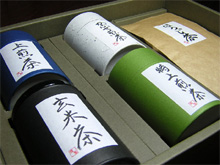 ピュアな宇治茶・五種詰合せ(松) 7,350円 三種類の煎茶と玄米茶、ほうじ茶の詰合せ。すべて100グラム入りだから、ボリューム感満点の詰合せです。 |